How to Make Easy Faux Leather Fall Leaf Earrings

Fall is here, and I love making easy faux leather earrings for the season!
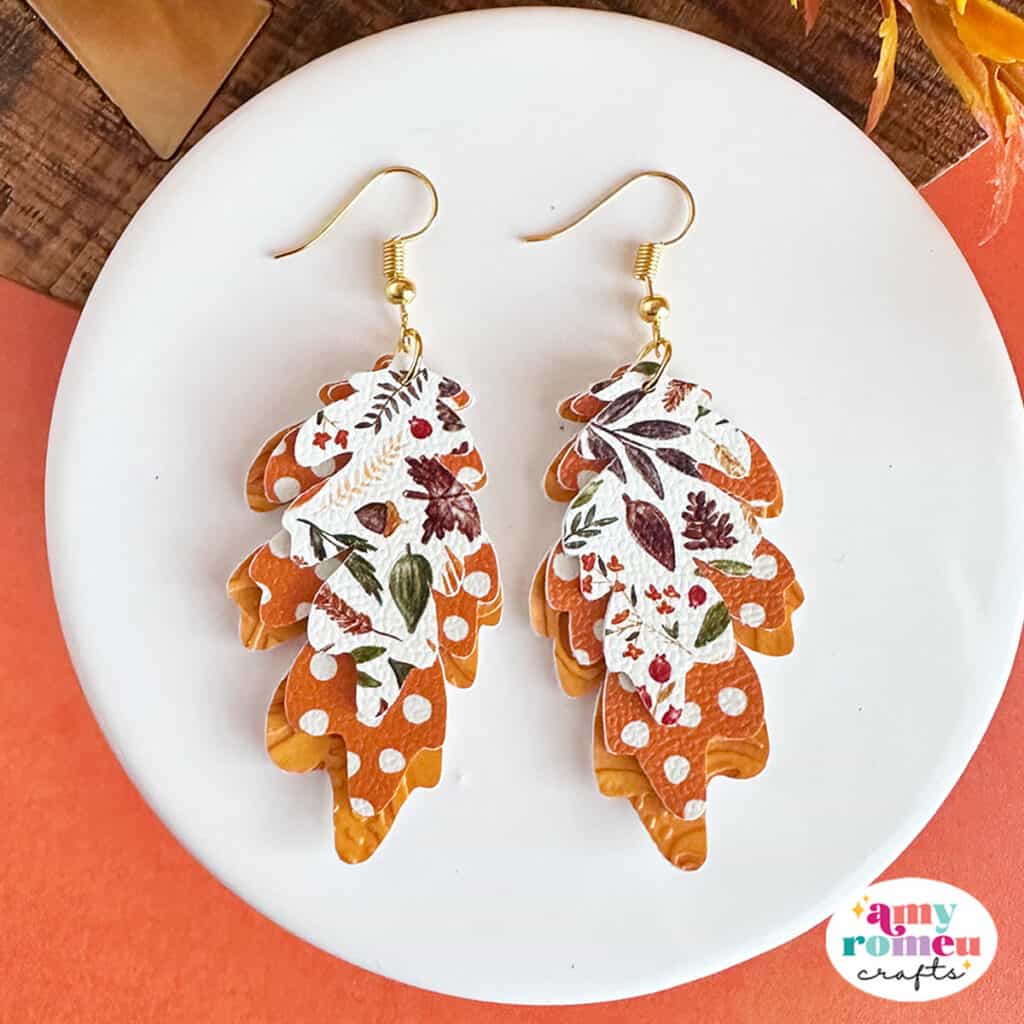
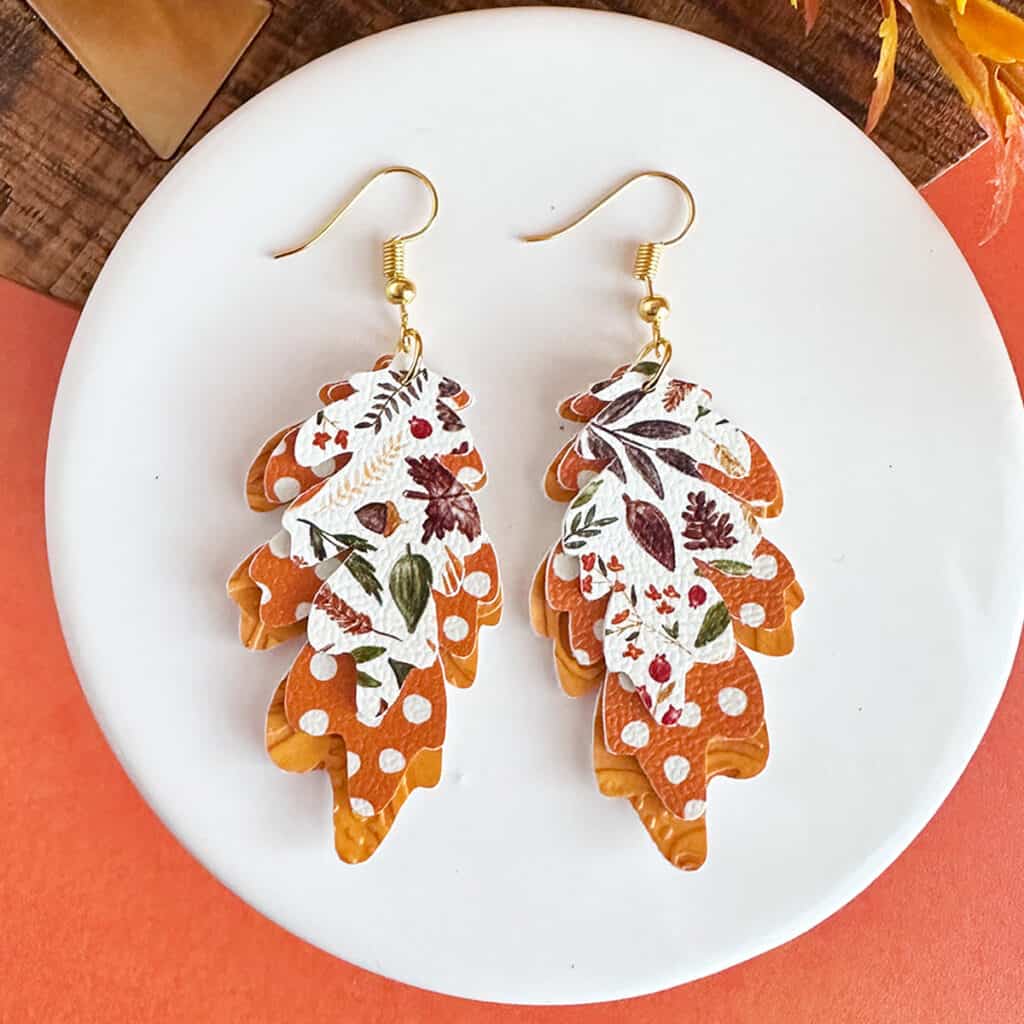
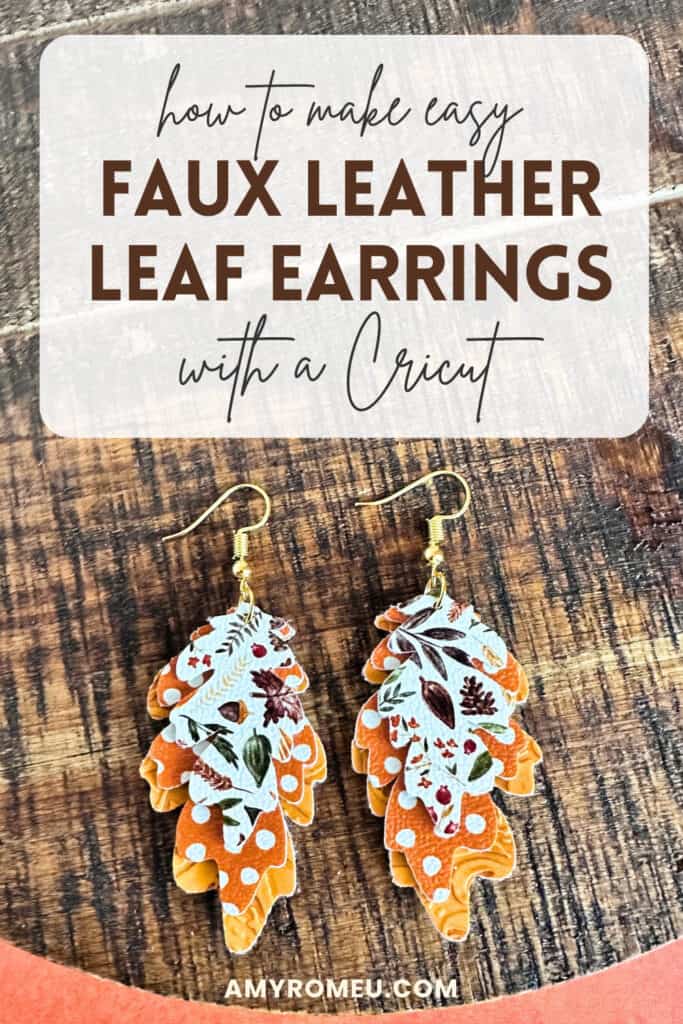
These Personalized Layered Fall Leaf Earrings are so simple to make using faux leather scraps and your Cricut!
You can make this project with any of the Cricut Maker, Explore, or Joy machines with just the regular fine point blade.
Ready to get started with this fun faux leather Cricut craft tutorial? Let’s dive into the materials and steps!
Step 1: Get the SVG Template
Get the SVG in my Shop
Personal or Small Commercial Use Available
Step 2: Shop the Supplies
This page contains some affiliate links (which means if you make a purchase after clicking a link, I will earn a small commission at no additional cost to you). Read my full disclosure policy here.
Compatible Machines✅: Cricut Maker, Cricut Maker 3, Cricut Maker 4, Cricut Maker 5, Cricut Explore Air 2, Cricut Explore 3, Cricut Explore 4, Cricut Explore 5, Cricut Joy Xtra, Cricut Joy & Cricut Joy
Not Compatible Machines❌: none
Blade Used: Standard Fine Point Blade
Cut Setting Used✂️: Faux Leather (Paper Thin) with “More” pressure
- Faux Leather
- Faux Leather of your choice. I used this Fall Foliage print, this Harvest Orange Dots dots print and this Sunflower Butter Lace faux Leather from my favorite faux leather supplier. I ordered 9×12 size, Portrait orientation, and Regular scale.
- Other Supplies
- Purple Strong Grip cutting mat
- Blue Painter’s Tape
- Weeding Tool
- Small Curved Scissors
- 6mm Jump Rings
- Earring Hooks
- Flat Nose Jewelry Making Pliers – these and these are my favorites
🛒 To shop many of these supplies in my Amazon storefront, click here. 🛒
Step 3: Make the Project
Set Up Your Design
- Open a new canvas in Cricut Design Space.
- Upload the SVG file for the Fall Leaf Earrings to your canvas. They should come in at exactly 2 inches tall, but if not, resize them using the sizing option in the toolbar. Make sure the sizing lock is on, and make the height of the earrings 2 inches. The width will adjust automatically.
- There is a “with holes” and a “without holes” version for you to choose from. Use the “with holes” version if you are going to make them exactly as I’ve designed them. Use the without-holes version if you are going to resize them, use this SVG in a different type of project, or if you prefer to punch your own earring holes with something like a 1/16-inch hole punch. (My favorite one is in my Amazon storefront here.)
- Delete or hide the version you are not going to cut.
- You can recolor all the leaves to be the same color using the color picker in the toolbar if you want to cut all of these leaf layers on the same Cricut mat at the same time. Or you can leave them on separate mats and cut each pair of leaves separately, it’s up to you.
Prepare to Cut
- Click Make It.
- Mirror your mats since you’ll be cutting the faux leather face face down.
- For the faux leather mat, choose the Faux Leather (Paper Thin) material setting with More pressure for the faux leather mat.
- Trim three pieces of faux leather just slightly larger than the sizes shown in the mat preview screen for the pairs of leaf shapes.
Cut the Faux Leather
- Place the faux leather for each pair of leaves shapes pretty side down on a Strong Grip (purple) mat in the locations you can see the shapes will cut in the mat preview screen.
- Secure all edges with blue painter’s tape.
- Load the mat into your Cricut.
- Press the C button to begin cutting.
- When the cut is complete, without unloading the mat, use a sharp tool to gently lift the edge and check the cut.
- Repeat the cut if necessary by pressing the cut button again.
- Once the cut is complete, unload the mat and remove the leaf shapes.
- Use a sharp weeding tool to poke through the earring holes in the leaf pieces. Or use a 1/16″ hole punch to make your own holes (or complete holes that the Cricut didn’t cut all the way through).
Attach the Earring Hooks
- Using flat nose jewelry pliers, turn the bottom loop on the earring hooks 90 degrees so your earrings will hang straight. You can learn more about this technique in this video on my YouTube channel.
- Open a 6 mm jump ring with the pliers and thread the leaf shapes on in order from smallest to largest.
- Add an earring hook onto the jump ring, making sure it is facing forward.
- Close the jump ring tightly with your pliers. Repeat for the second earring.
That’s it! Your Faux Leather Fall Leaf Earrings are ready to wear!
Answers to your questions about making Faux Leather Fall Leaf Earrings with a Cricut
Q: Which Cricut machines will cut faux leather?
A: You can cut faux leather with any of the current Cricut machines because they all cut faux leather with the standard fine point blade included with each machine. For this project you can use any of the Cricut Explore series, Maker Series, or Cricut Joy Xtra, Cricut Joy or Cricut Joy 2 machines (for the Joy machines use the 12 inch long mat).
Q: How do I get the SVG template for this project?
A: You can get it from my SVG shop here, or get it along with hundreds of other faux leather SVG files inside my Faux Leather Crafters Club! Learn more about the Club here.
Q: Is there a video tutorial for this project?
A: You can watch a quick Instagram reel about making this project here. I also have a full video on my YouTube channel for a similar layered leaf earring (with different shaped leaves) on my YouTube channel here.
Get the SVG in my Shop
Personal or Small Commercial Use Available
More faux leather Cricut projects you’ll love

Want to remember this project? Save this tutorial to your favorite Pinterest board!

Want instant access to my Free Resource Library full of SVG files?
Just Enter your name and email Below!
By signing up, you’ll get instant access to my FREE SVG Library with hundreds of crafting SVG templates! You’ll also get my weekly newsletter full of crafting ideas, tutorials, and inspiration! Unsubscribe anytime.